Tools & Technology
“I didn’t realize how much time bad technology was costing me, until I got it back... time I should’ve been spending with clients and on my business.”


“I didn’t realize how much time bad technology was costing me, until I got it back... time I should’ve been spending with clients and on my business.”
At Legacy Premier Agency, our integrated systems are built to help agents work smarter and move faster. With smart automation, real-time business tracking, AI-powered notes, AI-tailored property alerts, and so much more, our custom platform puts everything you need in one simple, intuitive place.
Our tools are designed to streamline your workflow, enhance your client experience, and support a growing business. We built technology that saves you time, so you can spend it on what matters most: building relationships and serving your clients.
At Legacy Premier Agency, we leverage AI-powered smart technology to ensure our agents move faster, respond smarter, and convert at a higher level. From inbound lead generation systems that capture and route opportunities instantly, to smart automated text conversations inside Follow Up Boss that engage new leads within seconds, our tech keeps you at the front of every opportunity. Through our app, clients receive AI-driven Instant Property Alerts tailored to their exact search behavior, not just basic saved searches, but intelligent recommendations that evolve based on what they’re actually viewing and engaging with. The result? Faster speed-to-lead, stronger client engagement, and a seamless, modern experience that helps our agents win in today’s market.
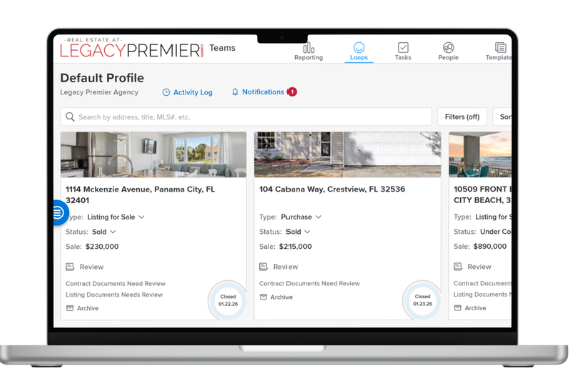
Dotloop is a comprehensive, cloud-based real estate transaction management software designed for agents and teams to manage deals from listing to closing. It streamlines workflows by allowing users to create, edit, sign, and share documents in a centralized "loop", reducing paperwork and facilitating compliance.
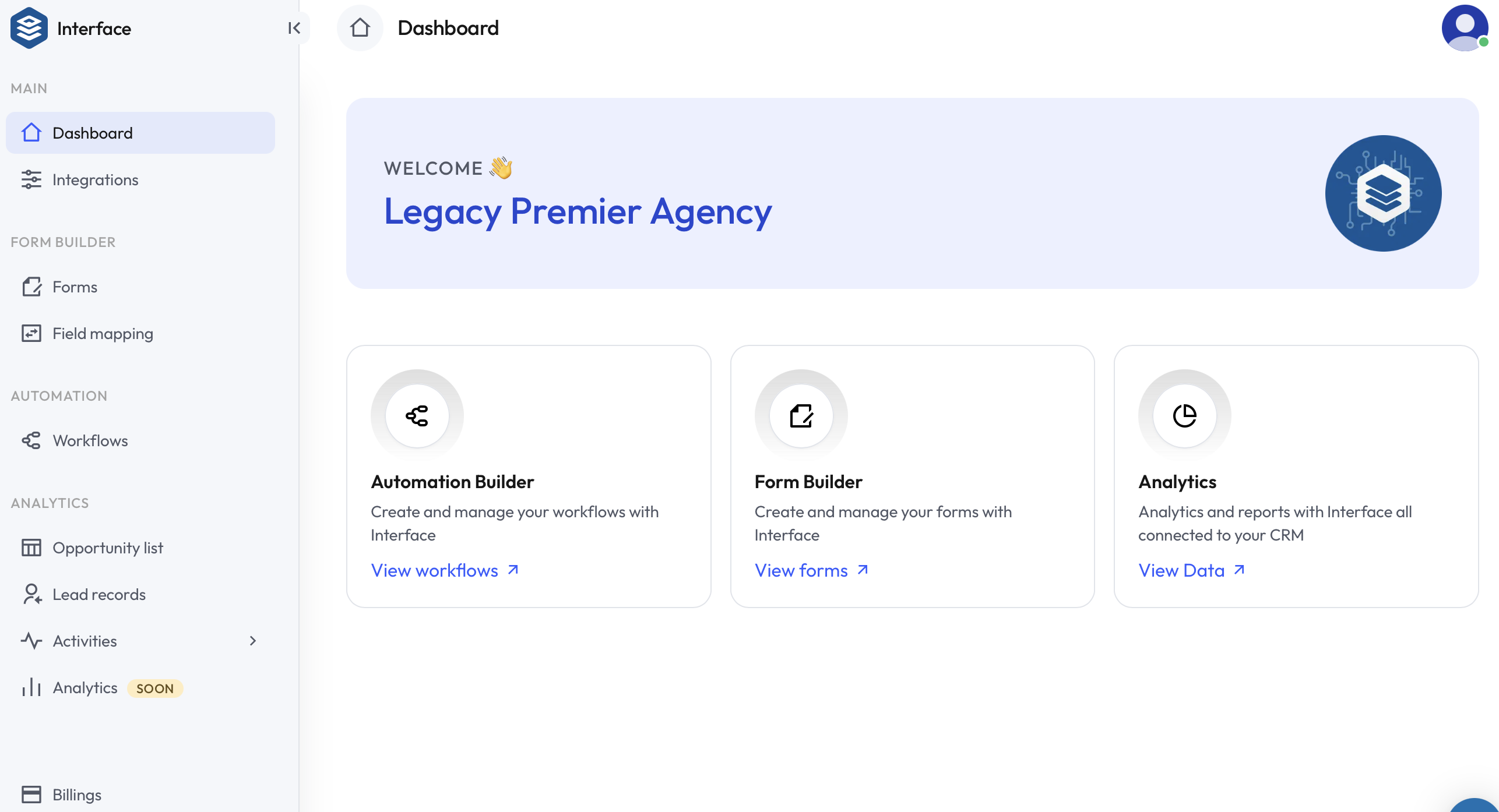
Our custom interface forms are designed to eliminate bottlenecks and keep your business moving effortlessly. With just a few clicks, agents can submit buyer or seller appointments, mark properties under contract, or report a closing — and that single action automatically triggers internal workflows, notifies our Transaction Coordinators, updates compliance, and activates the next phase of operations. No chasing paperwork. No guessing what happens next. The system communicates directly with our CRM, transaction management platforms, and internal team so you can stay focused on clients while the back-end runs smoothly. It’s simple on the front end — powerful behind the scenes.
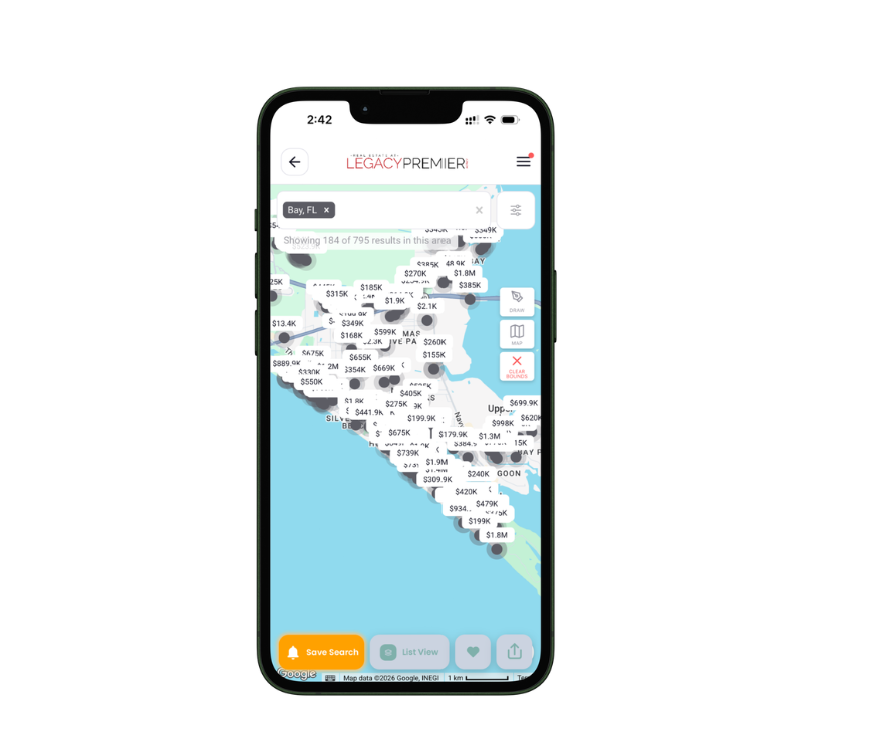
The Legacy Premier App offers a refined, concierge-level real estate experience designed for discerning buyers and sellers. Communicate effortlessly with your agent, explore AI-powered home searches tailored to your lifestyle, share and review listings in real time, and access meaningful housing data to guide confident decisions. From intelligent search tools to trusted local vendors, every feature is curated to deliver precision, convenience, and a higher standard of service.
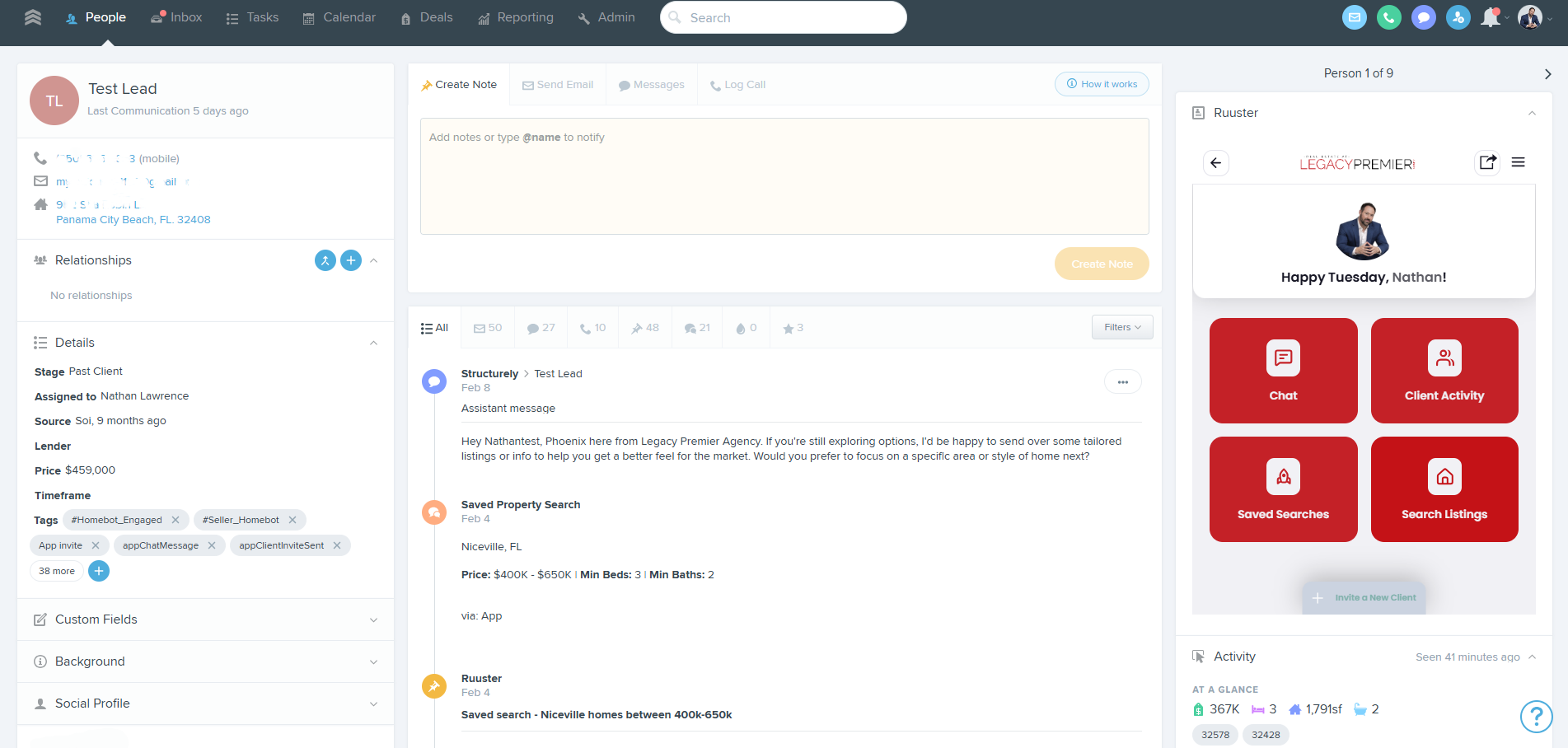
More than a CRM, Follow Up Boss is the central hub for building your business. Legacy Premier Agency has designed and built a custom platform within Follow Up Boss, designed for real estate agents and teams to organize, nurture, and convert leads into clients. Our custom design centralizes communication (calls, texts, emails), mls search, property activity insights, drip campaigns, and more.
Our website features a powerful, built-in Property Evaluation Tool that allows homeowners to instantly generate a home value estimate in just three simple steps. The tool is front and center on our site, making it easy for sellers to enter their address and receive a customized property valuation within seconds.
This isn’t just a generic calculator — it’s a lead-generating machine. Homeowners actively searching for their home’s value are raising their hand, and that data flows directly into our CRM for immediate follow-up. It creates natural listing conversations, supports seller-driven pricing discussions, and positions our agents as market experts from the very first interaction.
For our agents, it’s a 24/7 seller prospecting tool built directly into our brand — generating opportunities even while you sleep.
Share My QR |
|
We firmly believe that the internet should be available and accessible to anyone, and are committed to providing a website that is accessible to the widest possible audience, regardless of circumstance and ability.
To fulfill this, we aim to adhere as strictly as possible to the World Wide Web Consortium’s (W3C) Web Content Accessibility Guidelines 2.1 (WCAG 2.1) at the AA level. These guidelines explain how to make web content accessible to people with a wide array of disabilities. Complying with those guidelines helps us ensure that the website is accessible to all people: blind people, people with motor impairments, visual impairment, cognitive disabilities, and more.
This website utilizes various technologies that are meant to make it as accessible as possible at all times. We utilize an accessibility interface that allows persons with specific disabilities to adjust the website’s UI (user interface) and design it to their personal needs.
Additionally, the website utilizes an AI-based application that runs in the background and optimizes its accessibility level constantly. This application remediates the website’s HTML, adapts Its functionality and behavior for screen-readers used by the blind users, and for keyboard functions used by individuals with motor impairments.
If you’ve found a malfunction or have ideas for improvement, we’ll be happy to hear from you. You can reach out to the website’s operators by using the following email [email protected]
Our website implements the ARIA attributes (Accessible Rich Internet Applications) technique, alongside various different behavioral changes, to ensure blind users visiting with screen-readers are able to read, comprehend, and enjoy the website’s functions. As soon as a user with a screen-reader enters your site, they immediately receive a prompt to enter the Screen-Reader Profile so they can browse and operate your site effectively. Here’s how our website covers some of the most important screen-reader requirements, alongside console screenshots of code examples:
Screen-reader optimization: we run a background process that learns the website’s components from top to bottom, to ensure ongoing compliance even when updating the website. In this process, we provide screen-readers with meaningful data using the ARIA set of attributes. For example, we provide accurate form labels; descriptions for actionable icons (social media icons, search icons, cart icons, etc.); validation guidance for form inputs; element roles such as buttons, menus, modal dialogues (popups), and others. Additionally, the background process scans all of the website’s images and provides an accurate and meaningful image-object-recognition-based description as an ALT (alternate text) tag for images that are not described. It will also extract texts that are embedded within the image, using an OCR (optical character recognition) technology. To turn on screen-reader adjustments at any time, users need only to press the Alt+1 keyboard combination. Screen-reader users also get automatic announcements to turn the Screen-reader mode on as soon as they enter the website.
These adjustments are compatible with all popular screen readers, including JAWS and NVDA.
Keyboard navigation optimization: The background process also adjusts the website’s HTML, and adds various behaviors using JavaScript code to make the website operable by the keyboard. This includes the ability to navigate the website using the Tab and Shift+Tab keys, operate dropdowns with the arrow keys, close them with Esc, trigger buttons and links using the Enter key, navigate between radio and checkbox elements using the arrow keys, and fill them in with the Spacebar or Enter key.Additionally, keyboard users will find quick-navigation and content-skip menus, available at any time by clicking Alt+1, or as the first elements of the site while navigating with the keyboard. The background process also handles triggered popups by moving the keyboard focus towards them as soon as they appear, and not allow the focus drift outside of it.
Users can also use shortcuts such as “M” (menus), “H” (headings), “F” (forms), “B” (buttons), and “G” (graphics) to jump to specific elements.
We aim to support the widest array of browsers and assistive technologies as possible, so our users can choose the best fitting tools for them, with as few limitations as possible. Therefore, we have worked very hard to be able to support all major systems that comprise over 95% of the user market share including Google Chrome, Mozilla Firefox, Apple Safari, Opera and Microsoft Edge, JAWS and NVDA (screen readers), both for Windows and for MAC users.
Despite our very best efforts to allow anybody to adjust the website to their needs, there may still be pages or sections that are not fully accessible, are in the process of becoming accessible, or are lacking an adequate technological solution to make them accessible. Still, we are continually improving our accessibility, adding, updating and improving its options and features, and developing and adopting new technologies. All this is meant to reach the optimal level of accessibility, following technological advancements. For any assistance, please reach out to [email protected]